QuackThink - Online Multiplayer Trivia Game Logo
← Back to Game

How to Play Question Mark

General Gameplay

Welcome to QuackThink! Here's how to get started:

  • Joining a Lobby: To start, simply choose a username and an icon on the main screen and click "Join Lobby". This will make you the host of a new game lobby.
  • Inviting Friends: As the host, you can invite others by clicking the "Invite" button in the player list to copy a link and share it with your friends!
  • Starting a Game: The host selects a game mode and can adjust its settings. Once everyone is ready, the host clicks "Start Game" to begin!

Game Modes

Millionaire Quiz

A classic trivia game where you answer multiple-choice questions to earn points. Who has the brains, and who is braindead? Test your friends, and find out!

  • How to Play: Answer questions correctly. But beware the time is running out quickly. Whoever gets the most questions correct wins.
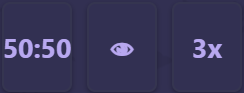
  • Jokers: Each player gets a set of jokers to use once per game. These can help you eliminate wrong answers or get other advantages.
  • 50-50: Two answer choices are eliminated, leaving you with a 50% chance of choosing correctly.
  • Peek: See what answers the other players are choosing.
  • 3x: If you answer correctly, you will get 3 points instead of 1 for the round.
Screenshot of the Millionaire Quiz trivia game mode

Image Guess

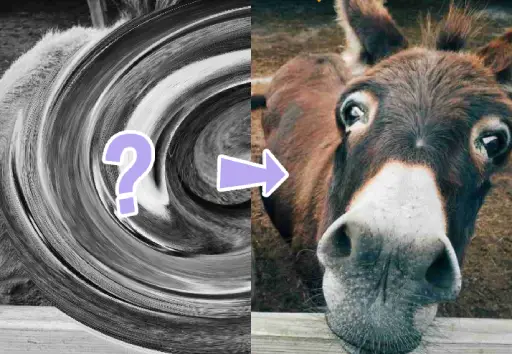
A pixelated or distorted image is slowly revealed. Guess the image as fast as you can! The quicker you guess, the more points you earn. Be careful, wrong guesses cost points and put you on a cooldown!

  • How to Play: Type your guess into the input box. The earlier you guess correctly, the more points you receive.
  • Penalty: If you fail to lock in an answer in time, or your guess is wrong you will lose 1 point.
  • Precision Bonus: Some images have specific names (e.g., "Persian Cat"). Guessing the exact name grants bonus points compared to the generic term (e.g., "Cat").
Screenshot of the Image Guess picture reveal game mode

Guess the Price

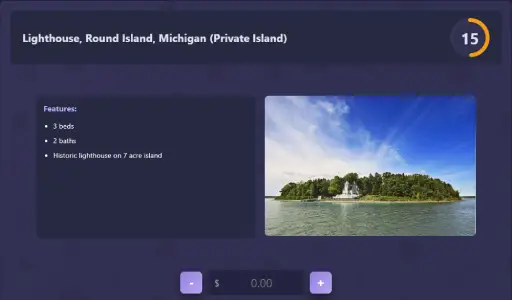
Classic "The Price is Right" format. Players are shown a product and must guess its price. Whoever's guess lands closest wins! Let’s find out who thinks a banana costs $10.

  • How to Play: Estimate the price of the product shown. Use the buttons, type the amount manually, or press Enter to lock in your guess.
  • Scoring: Only the player with the closest guess earns a point for the round.
Screenshot of Guess The Price shopping game mode

Order It!

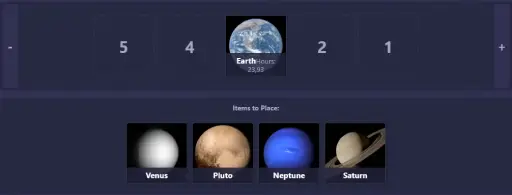
A set of items appears, and you must place them in the correct order based on a hidden metric (like release date, weight, or size).

  • How to Play: Drag items from the "unplaced" area onto the scale. Place them relative to other items (e.g., "Heavier" to the right, "Lighter" to the left).
  • Lives & Timer: You lose a life if you place an item incorrectly OR if the Timer runs out before you confirm.
  • Winning: The last player standing, or the one with the most lives remaining when all items are placed, wins the round.
Screenshot of Order It ranking game mode